
Novu agents setup overview
Set up your Novu Agent: create an agent and connect providers and wire up your application code.
A conversational agent has the following components:
- Agent Name: The display name shown in the dashboard.
- Agent Identifier: The unique
agentIdused in code and API calls. - Agent Description: A short summary that explains what the agent does.
- Agent Status: The current state of the agent, such as active or inactive.
- Agent Creation Date: The timestamp showing when the agent was created.
- Connected Providers: The chat providers currently connected to the agent, such as Slack or Microsoft Teams.
- Agent Bridge URL: The bridge endpoint used to deliver events to your application.
- Agent Logic (Code): Your handler implementation for events, replies, and signals.
Create a new agent
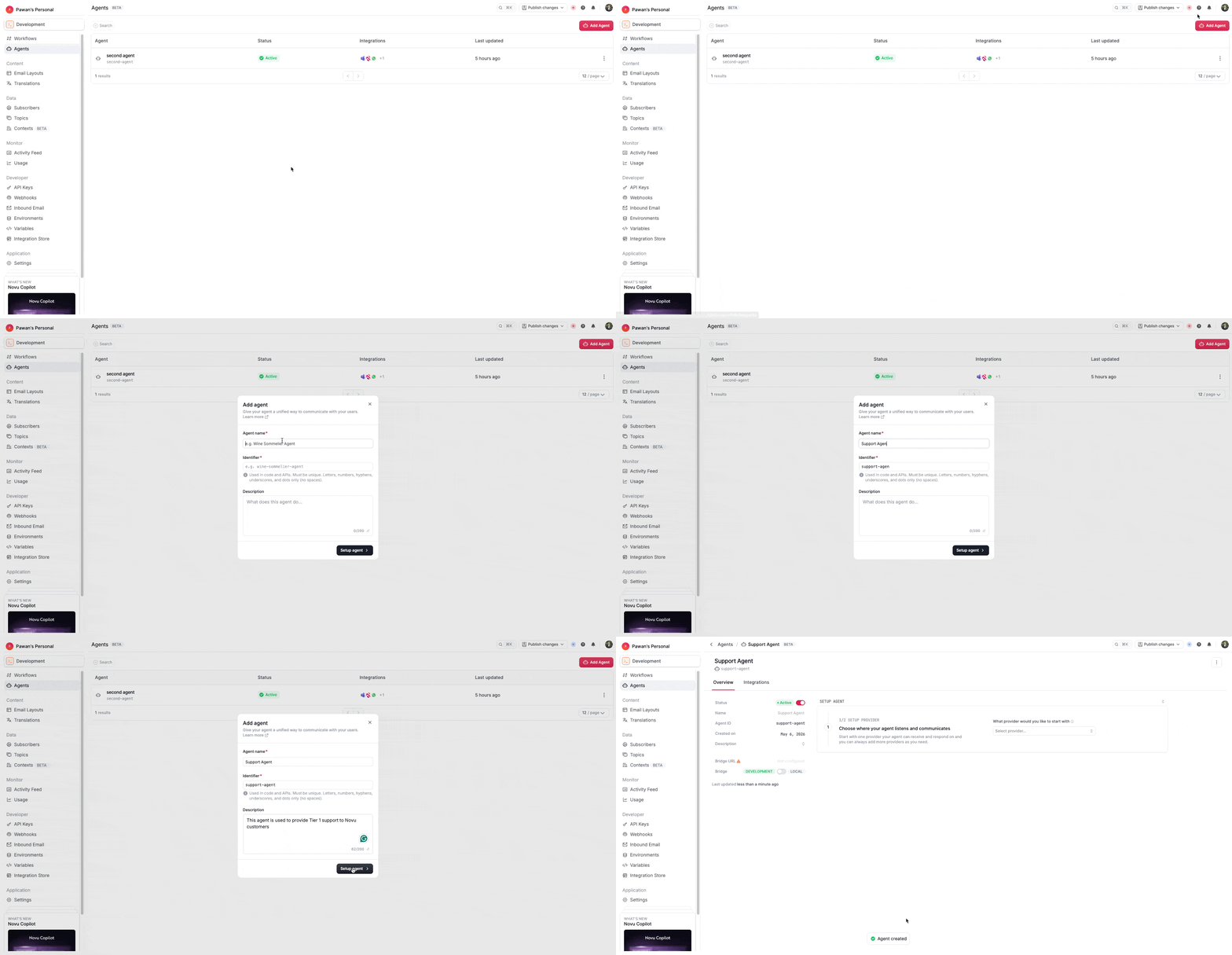
- To set up your agent, go to the Agents page in the Novu dashboard and click Add Agent.
- Enter a human-readable name for your agent. This name is used in Slack and Microsoft Teams when users mention the agent.
- Novu auto-generates the identifier from the name you provide. This identifier becomes
agentIdand cannot be changed later. - Add a description for your agent to help others understand its purpose.
- Click Create to create the agent.
- After the agent is created, you are redirected to the agent details page.
- Connect slack provider to the agent in the setup agent section by clicking on the Select provider dropdown and selecting Slack. This will open the slack setup section with steps.
Scaffold your agent
To scaffold your agent, open the terminal, go to the directory where you want to create the project and run the following command in the terminal:
This scaffold command will ask the project name and will create a new agent project in the directory you provided. After the project is created, you can start building your agent logic.
Next steps
Checkout the next steps to build your agent logic.